Free LinkedIn Bold Text Generator
LinkedIn posts don't have a bold button. Type your hook or headline here, copy a bold version and paste it into LinkedIn.
Updated October 2026
These styles are Unicode characters, so they keep their look when you paste them. Only English letters (A–Z) and numbers are converted. These styles do not work on Hindi (Devanagari) text.
How to make bold text for LinkedIn (with screenshots)
These are real screenshots of this page, step by step.
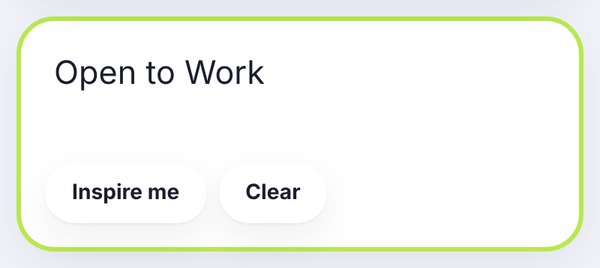
Write the line you want to stand out. We typed Open to Work, but a post hook or a key result works just as well.
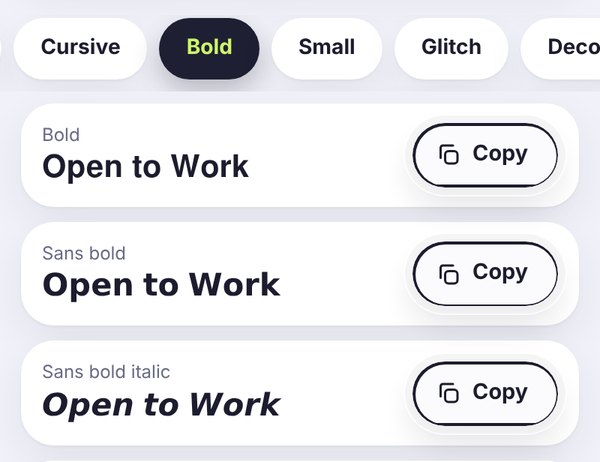
The Bold tab opens by default. For LinkedIn, Sans bold is usually the best choice, because it looks clean and professional.
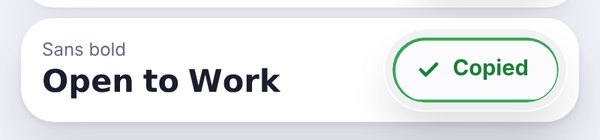
Tap Copy, wait for the green Copied button, then paste it into your post, comment, About section or headline.
Why LinkedIn bold text needs a generator
LinkedIn's long-form article editor has formatting, but regular posts, comments, your headline and your About section don't. So if you want one line to stand out, you need bold Unicode letters, like 𝘁𝗵𝗶𝘀. They look bold anywhere you paste them, because they're real characters, not formatting.
Where bold helps on LinkedIn
The first line of a post: on most screens, LinkedIn only shows the first couple of lines before "see more". A short bold hook can make the difference between someone scrolling past and someone clicking.
Key points in a list: bold the result, the number or the takeaway, not the whole sentence.
Your About section: a bold heading or two can make a long About section easier to skim.
Your headline: possible, but be careful. More on that below.
Keep it professional
LinkedIn is a work network, so a little bold goes a long way. Stick to Sans bold (𝗢𝗽𝗲𝗻 𝘁𝗼 𝗪𝗼𝗿𝗸), which looks clean and neutral. Classic Bold (𝐎𝐩𝐞𝐧 𝐭𝐨 𝐖𝐨𝐫𝐤) also works. Skip decorative styles like cursive or gothic, which can look out of place next to a job title.
A good rule of thumb: bold no more than one line or a few words per post.
Two things to watch out for
Search and recruiters. LinkedIn search and recruiter tools may not match bold Unicode letters with normal ones. If your headline says 𝗣𝗿𝗼𝗱𝘂𝗰𝘁 𝗗𝗲𝘀𝗶𝗴𝗻𝗲𝗿 and nothing else, someone searching for "product designer" might not find you. Keep your main job title and key skills in plain text.
Accessibility. Screen readers can read these characters strangely, sometimes letter by letter. Don't put important information only in bold Unicode.
Example uses
- A post that starts with 𝗪𝗲 𝗷𝘂𝘀𝘁 𝗵𝗶𝘁 𝟭𝟬,𝟬𝟬𝟬 𝘂𝘀𝗲𝗿𝘀. followed by the story in plain text.
- An About section with short bold headings like 𝗪𝗵𝗮𝘁 𝗜 𝗱𝗼 and 𝗪𝗵𝗮𝘁 𝗜 𝗮𝗺 𝗹𝗼𝗼𝗸𝗶𝗻𝗴 𝗳𝗼𝗿.
- A company page post that bolds just the event date.
Writing for other platforms too? Try the Facebook bold text generator or the main bold text generator.
LinkedIn bold text, Facebook and Discord
LinkedIn bold text is made with Unicode letters, so this page is really a simple online bold text generator that works in many apps. The same bold font you paste into a LinkedIn headline can be used on Facebook or Discord.
Facebook. Facebook has no bold button for normal posts, so people use a Facebook bold text generator. The bold letters from this page also work there.
Discord. Here is how to bold text in Discord chat: wrap your words in double asterisks, like **meeting at 5**. Discord turns it into bold text on its own. For a bold text Discord username or server nickname, copy a bold style from this page, because Markdown does not work in name fields. You can also open the full simple online bold text generator for more styles.
Frequently asked questions
Quick answers before you copy.
How do I make bold text on LinkedIn?
Type your text here, tap Copy next to a bold style, then paste it into your LinkedIn post, comment or About section.
Does LinkedIn have bold formatting?
Only in the article editor. Regular posts, comments, headlines and the About section are plain text, which is why people use bold Unicode letters.
Is bold text on LinkedIn professional?
Yes, as long as you use it lightly. A bold hook or a couple of bold key words look polished. A whole post in bold looks like shouting.
Can recruiters still find me if my headline is in bold?
They might not. Search tools may not match bold Unicode letters with normal ones, so keep your job title and main skills in plain text too.
Which bold style is best for LinkedIn?
Sans bold. It's clean, neutral and easy to read, which fits a professional profile.
Is the LinkedIn bold text generator free?
Yes, it's completely free, with no account needed. Your text stays in your browser.