Symbols your keyboard doesn't have
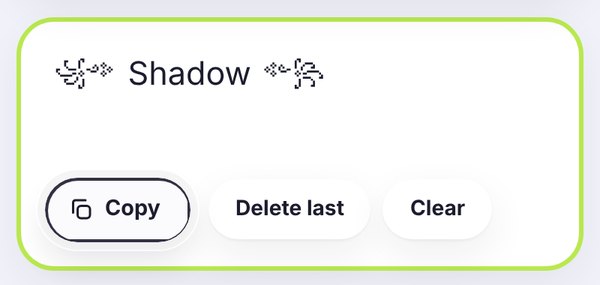
Your phone keyboard has letters, numbers and emoji, but it doesn't have ꧁ ꧂, 亗, ☬ or ツ. Those symbols are what make a gaming name or a bio look different, and they're exactly what this page is for. Tap a symbol, add your name, copy it and paste it wherever you want. There's nothing to download and it's free.
All of these are standard Unicode characters, the same kind as emoji. That means they keep their shape when you paste them into Free Fire, PUBG Mobile, Mobile Legends, Instagram, TikTok, WhatsApp or Discord.
Symbols for gaming names
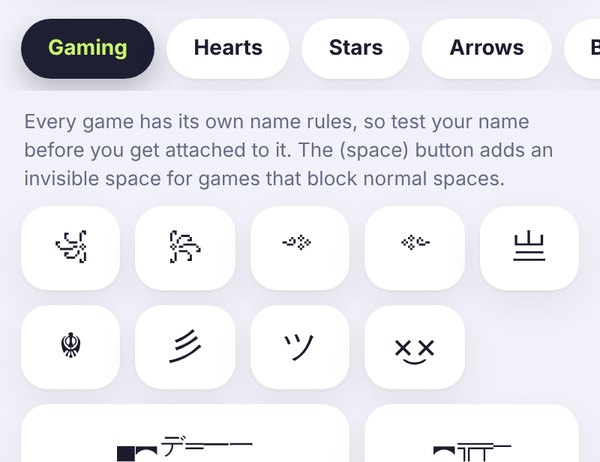
The Gaming tab opens first because that's where most people start. In battle royale games, your name shows up in the lobby, on the kill feed and on the leaderboard, so a stylish name gets noticed. A few popular patterns:
- Wings: ꧁༺ Name ༻꧂, a classic Free Fire style.
- Samurai: 亗 Name 亗, short and sharp.
- Clan tag: 【TAG】Name, great for squads.
- Sniper: ▄︻デ Name ═━一, for players who love long-range fights.
- Smile: ×͜× Name, small and clean.
Want the letters styled too? The font generator has a Gaming tab with 16 ready-made name designs, and you can mix those with any symbol here.
Free Fire player from Brazil? The same symbols are on our Portuguese page, símbolos para nick FF, with ready-made Free Fire combos.
A few honest tips for game names
Every game has its own rules. Some limit how long your name can be, some block certain characters, and the rules can change after an update. Symbols can also count as more than one character, so a name with lots of decorations may hit the limit sooner than you expect.
So keep it simple: one symbol on each side usually looks better than five. If your name gets rejected, remove symbols one by one until it works. And if a game doesn't allow normal spaces, try the invisible ㅤ character from the Gaming tab.
Symbols for bios, captions and chats
Instagram and TikTok bios: a heart or a star at each end of your name, or a divider like ✦ between lines, makes a bio look neat. See our Instagram bio fonts for more ideas.
WhatsApp: symbols work in your name, About line and status. Our fancy text for WhatsApp guide shows real examples.
Discord: arrows and brackets look great in server and channel names, and kaomoji are fun in chat. To cross words out on Discord, use the strikethrough text generator.
What's in each tab
Gaming has wings, swords, crowns, skulls and clan brackets. Letters has bubble letters like Ⓐ, outline letters like 𝔸 and Asian-style letters like 卂 that you can use to spell a name one letter at a time. Numbers has circled numbers like ❶ and ➀, Roman numerals like Ⅻ, outline digits like 𝟙 and fractions like ½, which are handy for clan tags and ranks. Tiny letters has superscript and small capital letters like ᵃ and ᴀ. Greek and Runes (ᚠ ᚱ ᛟ) give a name an ancient or mysterious look. IPA letters like ɐ and ʞ are great for upside down or unusual spellings. Signs has marks like §, † and ※, and Indic style has decorative characters like ঔৣ and ཌ ད that are popular in Free Fire names. Hearts and Stars are the most popular decorations. Arrows point people to a link. Brackets frame a name. Shapes and Lines help split a bio into sections. Aesthetic has ready-made sets like ⋆。°✩ for soft profiles, and Kaomoji has text faces like ʕ•ᴥ•ʔ that work without emoji.
Symbol guides
A few quick notes on the symbols people copy most, and how to use them so they look good everywhere.
1. Heart symbols and when to use them
The outline heart ♡ feels soft and works well in aesthetic bios. The filled heart ♥ is bolder and shows up nicely in names. ❣ and ღ are a bit more decorative and suit couple bios or captions.
All of these are plain text, not emoji, so they take the color of the text around them. That makes them a good fit for game names and places where colorful emoji look out of place. Find every heart in the Hearts tab above.
2. Stars and sparkles for an aesthetic profile
Stars like ★ ☆ ✦ ✧ are the easiest way to make a bio look soft and tidy. Put one at the start of a line, or use a short set like ⋆。°✩ as a divider between two lines.
Keep it light. Two or three sparkles in a whole bio look clean, but ten in one line looks like clutter. The Aesthetic tab has ready-made sets you can paste as they are.
3. Brackets and frames for names
Brackets turn a plain word into a tag. 『Name』 and 【Name】 look sharp in game names, while 「Name」 and 《Name》 feel calmer. The famous ꧁ ꧂ pair is a favorite for Free Fire and PUBG names.
Some games block certain characters, so if a frame is rejected, try a simpler pair like [ ] or ( ). The Brackets tab has matching pairs side by side, so both ends always fit together.
4. Arrows and bullets for neat bios
Arrows like ➤ ➜ ⇢ point people to something, such as the link in your bio or your latest post. Bullets like • ◦ ▸ make a list easy to scan when you share a few facts about yourself.
Use one arrow style and one bullet style per bio so it looks planned, not random. Mixing five different arrows is the most common mistake we see. Check the Arrows and Shapes tabs for the full set.
Frequently asked questions
How do I copy and paste symbols?
Tap any symbol and it's added to the box at the top. Add as many as you like, type your name in between, then press Copy and paste it into your game, bio or chat.
Which symbols work in Free Fire, PUBG and Mobile Legends?
It depends on the game, and the rules can change with updates. Brackets like 【 】 and 『 』, ꧁ ꧂, 亗, ツ and simple stars are popular choices. If a game rejects your name, remove one symbol at a time until it's accepted.
What is the invisible character ㅤ for?
It's a blank Korean filler character (U+3164). Some games don't allow normal spaces in names, so players use it as a space. It's in the Gaming tab. Not every game accepts it, so test it first.
Why do some symbols show as empty boxes?
The phone or app showing your text doesn't have that symbol. Common symbols like ♥, ★ and ➜ work almost everywhere. Rare ones can show as boxes on older devices. Our guide on empty boxes explains why.
Can I mix symbols with fancy fonts?
Yes, that's what most stylish names are. Make your name in the font generator first, copy it, paste it into the box here, and add symbols on each side.
Are these symbols free to use?
Yes. They're standard Unicode characters, the same kind as emoji. Copy as many as you like, no sign-up needed.