Free Small Text Generator
Turn your words into small caps, tiny raised letters or tiny lowered letters, then copy and paste them anywhere.
Updated October 2026
These styles are Unicode characters, so they keep their look when you paste them. Only English letters (A–Z) and numbers are converted. These styles do not work on Hindi (Devanagari) text.
How to make small text (with screenshots)
These are real screenshots of this page, step by step.
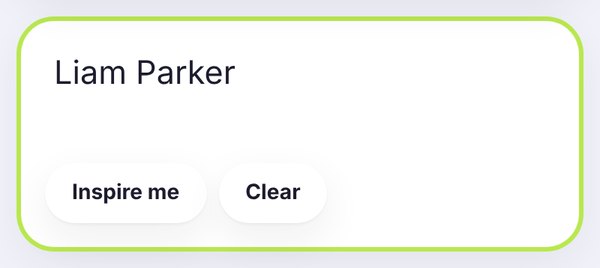
Write the word or line you want to shrink. We typed Liam Parker here. The small styles update as you type.
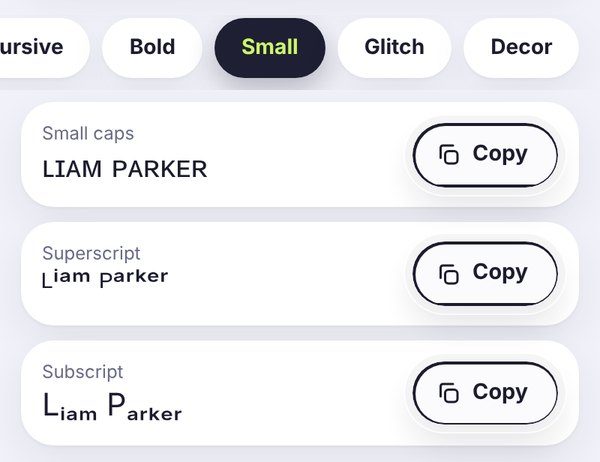
The Small tab opens by default on this page. Small caps keeps your text easy to read. Superscript and subscript make it really tiny, but they don't exist for every letter.
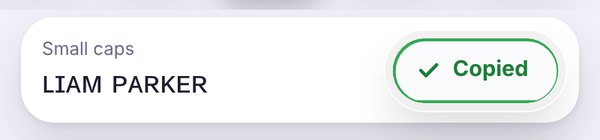
Tap Copy, wait for the green Copied button, then paste the text into your bio, caption or chat.
What is small text, exactly?
When people say "small text", they usually mean one of three things. Small caps ʟᴏᴏᴋ ʟɪᴋᴇ ᴛʜɪs: capital letters shrunk to the height of lowercase ones. Superscript letters sit up high, ˡⁱᵏᵉ ᵗʰⁱˢ. Subscript letters sit down low, ₗᵢₖₑ ₜₕᵢₛ. This page makes all three, and you can copy whichever one you need.
None of these are real fonts. They are special Unicode characters that happen to look small, which is why they still look small after you paste them into Instagram, TikTok or a WhatsApp chat.
Small caps, superscript or subscript: which one should you use?
Small caps is the one most people want. It looks tidy and modern, it is easy to read, and it works on almost every phone. It is great for an Instagram name, a TikTok bio or a short tagline.
Superscript is the "tiny text" look. It is fun for a cute aside or a whisper, like "hello ᵗʰᵉʳᵉ". It is also handy for things like x² or footnote numbers. Just keep it short, because tiny letters are hard to read on a phone.
Subscript is mostly useful for science and math, like H₂O or CO₂. For decoration, it can look a bit uneven, because Unicode only has subscript versions of some letters.
Why some letters don't shrink
You might notice that a letter or two stays normal size. That's not a bug on your end. Unicode simply doesn't include a tiny version of every letter. There is no proper superscript q, for example, and subscript only covers a handful of letters, such as a, e, h, i, k, l, m, n, o, p, r, s, t, u, v and x. Small caps has its own gaps too: there is no true small capital X or Q, so the tool uses the closest look-alike or leaves the letter as it is.
If a word looks patchy, try small caps instead. It covers the most letters and looks the most consistent.
Where small text works well
Instagram and TikTok bios: small caps gives a clean, minimal feel, especially next to a bigger styled name. Have a look at our Instagram bio fonts for ideas.
Captions: a tiny line under a normal caption, like a signature or a little joke, can look really nice.
Discord and gaming names: small caps reads well in a member list. Some games block special characters, so test your name first.
Notes and homework: superscript and subscript are perfect for quick formulas, like E = mc² or H₂O, when your app has no formatting buttons.
A few tips before you paste
Keep important details, like your email or phone number, in normal text. Screen readers and search tools don't always read these special letters the way you'd expect. And try your text on your own profile before you save it, just to check every letter shows up properly on your phone.
Frequently asked questions
What are small caps?
Small caps are capital letters drawn at the height of lowercase letters, ʟɪᴋᴇ ᴛʜɪs. They look neat and a bit more grown-up than regular capitals, which is why they're popular in bios and brand names.
How do I make tiny text?
Type your words in the box at the top of this page, open the Small tab and tap Copy next to Superscript. That gives you the tiniest letters. If they're too hard to read, small caps is a good middle ground.
Why do some letters stay normal size?
Unicode doesn't have a tiny version of every letter. Superscript is missing q, and subscript only covers some letters. When a letter has no small version, it simply stays as it is.
Can I use small text on Instagram and TikTok?
Yes. You can paste small caps, superscript and subscript into your name, bio, captions and comments. Small caps is the safest choice because it shows up on almost every phone.
Is small text the same as a smaller font size?
Not really. A font size changes how big all your text looks on your own screen. Small text here is made of special characters, so it stays small after you send it, but you can't pick an exact size.
Is the small text generator free?
Yep, totally free. No sign-up, no watermark, and everything happens in your browser.