Free Facebook Bold Text Generator
Facebook doesn't have a bold button for normal posts. Type your words here, copy the bold version and paste it into your post, comment or bio.
Updated October 2026
These styles are Unicode characters, so they keep their look when you paste them. Only English letters (A–Z) and numbers are converted. These styles do not work on Hindi (Devanagari) text.
How to make bold text for Facebook (with screenshots)
These are real screenshots of this page, step by step.
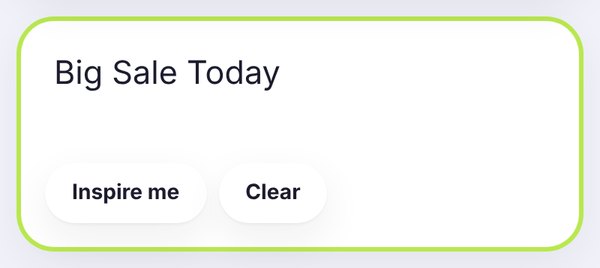
Write the words you want in bold. We typed Big Sale Today, the kind of line a shop might post.
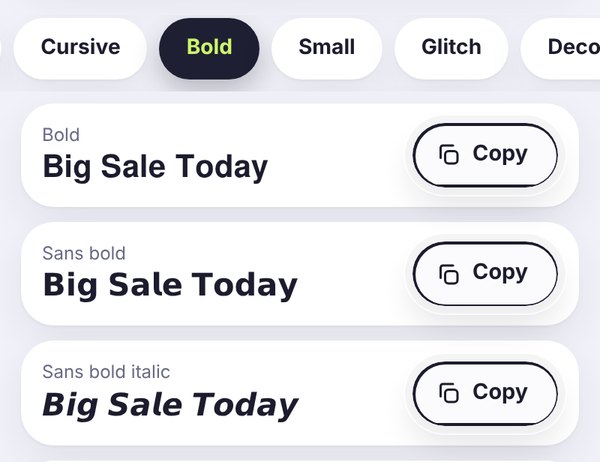
The Bold tab opens by default. Bold looks classic, Sans bold looks modern and clean, and Sans bold italic adds a bit of energy.
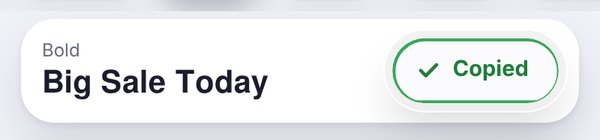
Tap Copy, wait for the green Copied button, then paste it into your Facebook post, comment or bio.
Why you need a generator for bold on Facebook
If you've ever tried to bold a word in a Facebook post, you've probably noticed there's no B button. Regular posts and comments are plain text only. That's where a Facebook bold text generator comes in. It swaps your letters for special Unicode characters that look bold, like 𝐭𝐡𝐢𝐬, so they stay bold when you paste them.
Nothing is installed and nothing about your account changes. It's just text that happens to look bold.
Where bold text works on Facebook
Posts: a bold first line is the easiest way to make people stop scrolling. It works great for announcements, offers and event dates.
Comments and replies: handy when you want one word to stand out, like the answer to a question.
Bio and intro: a bold name or tagline gives your profile a bit of personality.
Pages, groups and Marketplace: bold prices or opening hours are easy to spot. Just keep the rest of the text normal so it's still easy to read.
Which bold style should you pick?
Bold (𝐁𝐢𝐠 𝐒𝐚𝐥𝐞 𝐓𝐨𝐝𝐚𝐲) has little serifs, a bit like a newspaper headline. It feels classic and trustworthy.
Sans bold (𝗕𝗶𝗴 𝗦𝗮𝗹𝗲 𝗧𝗼𝗱𝗮𝘆) is clean and modern. It's the easiest to read on a phone, so it's a safe default.
Sans bold italic (𝘽𝙞𝙜 𝙎𝙖𝙡𝙚 𝙏𝙤𝙙𝙖𝙮) leans forward and feels more energetic. Nice for a short call to action.
Tips for Facebook posts that look good
- Bold the hook, not the whole post. One bold line at the top works. A whole post in bold is hard to read.
- Don't bold links, phone numbers or emails. They may stop being clickable or easy to copy.
- Keep searchable words plain. Facebook search may not match bold Unicode letters, so keep your shop name and key details in normal text too.
- Think about accessibility. Screen readers can read these letters strangely, so don't put important information only in bold.
Need bold text for another app? The main bold text generator has every bold style, and there are dedicated pages for Instagram and LinkedIn too.
Bold text on Facebook, Discord and LinkedIn
This Facebook bold text generator is a simple online bold text generator, so the same bold font also works outside Facebook. Copy it once and you can reuse your bold text on other apps too.
Discord. If you wonder how to bold text in Discord chat, type two asterisks before and after your words, like **sale today**. That is built into Discord. For a bold text Discord display name or nickname, Markdown does not work, so paste a bold style from this page instead.
LinkedIn. LinkedIn bold text works the same way as on Facebook: paste one bold line at the top of a post to catch attention. For more options, try the main simple online bold text generator.
Frequently asked questions
Quick answers before you copy.
How do I make bold text on Facebook?
Type your text in the box at the top of this page, tap Copy next to a bold style, then paste it into your Facebook post, comment or bio. That's it.
Does Facebook have a bold button?
Not for regular posts and comments. That's why people use Unicode bold text, which looks bold wherever you paste it.
Will bold text hurt my post reach?
There's no official rule against it, but readability matters. One bold line usually looks good. A whole post in bold can put people off, so use it for highlights only.
Can I use bold text in Facebook Marketplace?
Yes, you can paste bold letters into a listing title or description. Keep the price and key details readable, and check how it looks before you publish.
Why does my bold text look different on another phone?
Each phone draws these characters with its own font, so the shape can vary a little. If someone sees empty boxes, their phone doesn't support that style.
Is the Facebook bold text generator free?
Yes, it's completely free. No sign-up, no watermark, and your text stays in your browser.