Strikethrough Text Generator
Type your text and copy c̶r̶o̶s̶s̶e̶d̶ o̶u̶t̶ t̶e̶x̶t̶ in one tap. Works on Instagram, TikTok, Discord, X and more.
Updated November 2026
These styles are Unicode characters, so they keep their look when you paste them. Only English letters (A–Z) and numbers are converted. These styles do not work on Hindi (Devanagari) text.
Strikethrough text generator: how to use it
- Type or paste your text in the box above.
- Pick a style. The Strike tab shows normal strikethrough, a shorter line, slashed letters, a wavy line and ready-made Discord and WhatsApp versions.
- Tap Copy and paste it into your bio, caption, comment or chat.
This strikethrough text is made from Unicode characters, not app formatting. That is why it keeps the line when you paste it into apps that have no strikethrough button, like Instagram, TikTok, X and YouTube comments.
How to strikethrough on Discord
Want strikethrough text on Discord? Here is how to strikethrough on Discord: Discord has its own formatting, so in a chat message you wrap your words in two tildes on each side:
~~this is crossed out~~ → t̶h̶i̶s̶ i̶s̶ c̶r̶o̶s̶s̶e̶d̶ o̶u̶t̶
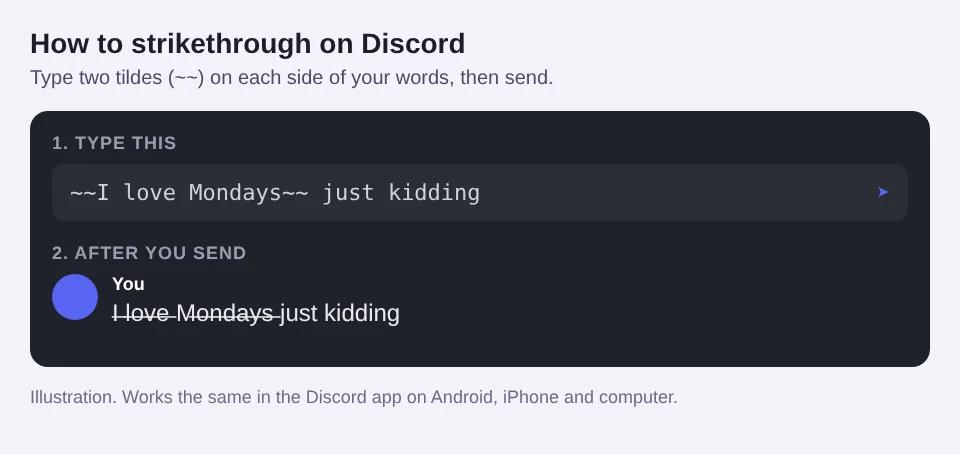
It works the same in the Discord app on Android and iPhone. You can also combine it with bold: ~~**bold and crossed out**~~.
Discord formatting only works in messages. For your display name, server nickname or channel names, copy the Unicode version from the generator instead. You can mix it with other effects from the glitch text generator.
How to do a strikethrough in Google Docs
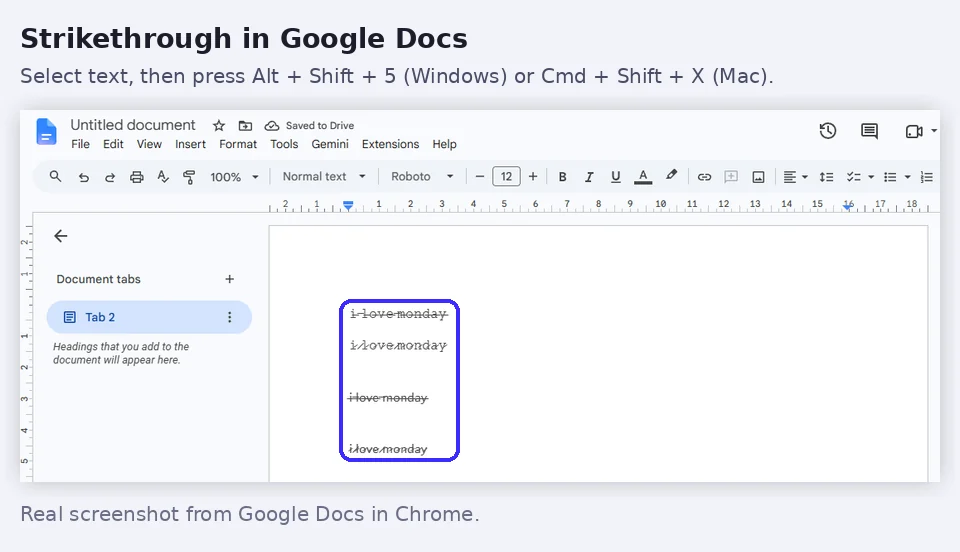
Wondering how to strikethrough in Google Docs? Below is how to strikethrough text in Google Docs on a computer, and how to do strikethrough on Google Docs from your phone. There are three ways to strikethrough in Google Docs: the menu, the keyboard shortcut and the mobile app.
- Select the text you want to cross out.
- Open Format → Text → Strikethrough.
- Or use the strikethrough shortcut: Alt + Shift + 5 on Windows and Chromebook, or Cmd + Shift + X on a Mac.
Strikethrough in the Google Docs app (Android and iPhone)
- Double-tap a word, then drag the handles to select your text.
- Tap the format icon (the letter A with lines) at the top.
- On the Text tab, tap the strikethrough button (an S with a line through it).
How to remove strikethrough in Google Docs
Select the text and press the same shortcut again, or turn it off in Format → Text → Strikethrough.
The same keys work in Google Sheets. Strikethrough in Google Docs is formatting, so if you copy that text into Instagram the line disappears. Use the generator above when you want the line to stay.
How to strikethrough in Excel
Here is how to strikethrough in Excel in three ways:
- Shortcut: select the cell or text and press Ctrl + 5 on Windows, or Cmd + Shift + X on a Mac.
- Format Cells: right-click the cell, choose Format Cells, open the Font tab and tick Strikethrough.
- Part of a cell: double-click the cell, select only the words you want, then use the same shortcut.
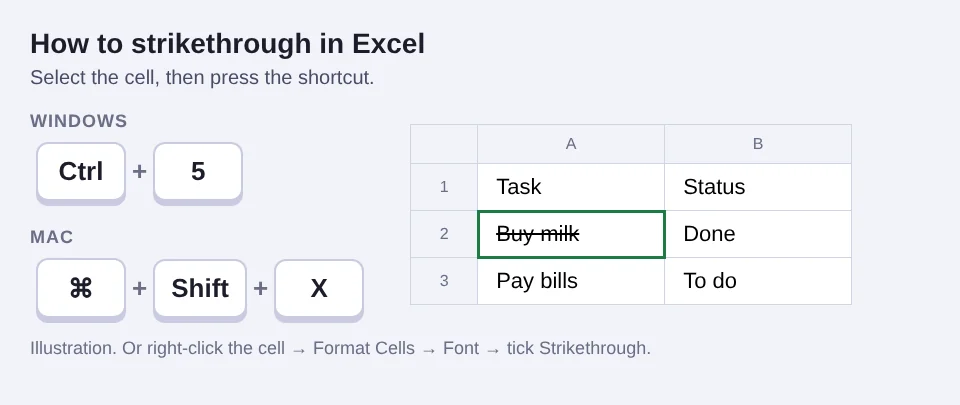
Press the shortcut again to remove the line. It also works in Excel on the web.
Strikethrough shortcut in every app
Looking for the strikethrough shortcut for your app? Most writing apps have their own. Here are the ones people search for most:
| App | Windows / Chromebook | Mac |
|---|---|---|
| Google Docs | Alt + Shift + 5 | Cmd + Shift + X |
| Google Sheets | Alt + Shift + 5 | Cmd + Shift + X |
| Microsoft Word | Alt, H, 4 (one after another) | Cmd + Shift + X |
| Microsoft Excel | Ctrl + 5 | Cmd + Shift + X |
| Slack | Ctrl + Shift + X, or ~text~ | Cmd + Shift + X, or ~text~ |
| Microsoft Teams | Ctrl + Shift + X | Cmd + Shift + X |
| Notion | Ctrl + Shift + S | Cmd + Shift + S |
| Discord | ~~text~~ | ~~text~~ |
| ~text~ | ~text~ |
Strikethrough on WhatsApp
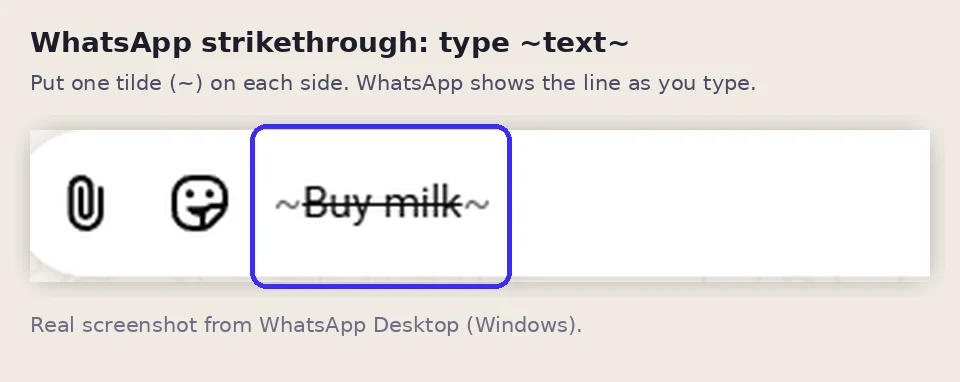
WhatsApp has no button for it, but you can type one tilde on each side of your words: ~Buy milk~. The line appears while you type and stays after you send.
Shortcuts can change between app versions. If one doesn't work, look for a strikethrough button (an S with a line) in the toolbar.
Strikethrough text vs formatting: what's the difference?
A shortcut in Google Docs or Word adds formatting: the app draws the line, so it only exists inside that app. The generator makes Unicode strikethrough: the line is part of the text itself, so it travels with it when you copy and paste. Use formatting for documents and the generator for social media and names. Want to know how this works? Read what Unicode fonts are.
Fun ways to use crossed out text
- Jokes and second thoughts: "I love Mondays n̶o̶t̶".
- Price drops: $̶2̶0̶ $10 in a shop post.
- Done lists: cross out tasks you finished in a bio or story.
- Bios and names: mix it with bold text or italic text for a stand-out profile.
Frequently asked questions
What is strikethrough text?
Strikethrough text has a line through the middle of the letters, like t̶h̶i̶s̶. People use it to show something is finished, changed or a joke they are taking back.
How does the strikethrough text generator work?
It adds a special Unicode line character after every letter you type. Because it is plain text, not formatting, the line stays when you paste it into Instagram, TikTok, X, YouTube comments and most other apps.
How to strikethrough on Discord?
In a Discord message, put two tildes on each side: ~~your text~~. For places where Discord formatting does not work, copy the Unicode strikethrough from this page instead.
How to do a strikethrough in Google Docs?
Select the text, then open Format, Text, Strikethrough. Or press Alt + Shift + 5 on Windows and Chromebook, or Cmd + Shift + X on a Mac.
How to do strikethrough on Google Docs on a phone?
In the Google Docs app, select the text, tap the format icon (the A with lines), and tap the strikethrough button on the Text tab.
How to strikethrough in Excel?
Select the cell and press Ctrl + 5 on Windows or Cmd + Shift + X on a Mac. You can also right-click, choose Format Cells, open the Font tab and tick Strikethrough.
What is the strikethrough shortcut in Google Docs?
On Windows and Chromebook press Alt + Shift + 5. On a Mac press Cmd + Shift + X. You can also use Format, Text, Strikethrough.
Does strikethrough text work on Instagram and TikTok?
Yes. Instagram and TikTok have no strikethrough button, but the Unicode strikethrough from this generator works in bios, captions and comments.
How do I remove strikethrough in Google Docs?
Select the crossed out text and press the same strikethrough shortcut again: Alt + Shift + 5 on Windows or Cmd + Shift + X on a Mac. You can also use Format, Text, Strikethrough to turn it off.
Can I use strikethrough text on Discord mobile?
Yes. Type two tildes on each side of your words, like ~~this~~, in the Discord app on Android or iPhone. It works the same as on a computer.
What is the strikethrough shortcut on a Mac?
In Google Docs, Google Sheets, Word, Slack and Teams it is Cmd + Shift + X. In Notion it is Cmd + Shift + S.
Why does my strikethrough look different on another phone?
Each phone and app draws the line with its own font, so it can look a little higher, lower or thinner. On very old devices some letters may show as boxes.