Free Instagram Bio Fonts
Type your name or a line for your bio, pick a style you like, then copy it straight into your Instagram profile.
Updated October 2026
These styles are Unicode characters, so they keep their look when you paste them. Only English letters (A–Z) and numbers are converted. These styles do not work on Hindi (Devanagari) text.
How to change your Instagram bio font (with screenshots)
These are real screenshots of this page. It takes less than a minute.
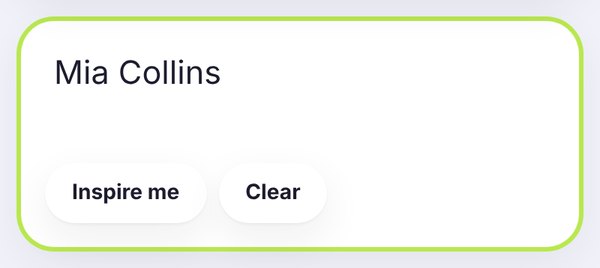
Start with whatever you want to style: your name, a short tagline or one line of your bio. Here we typed Mia Collins. All the styles below update while you type.
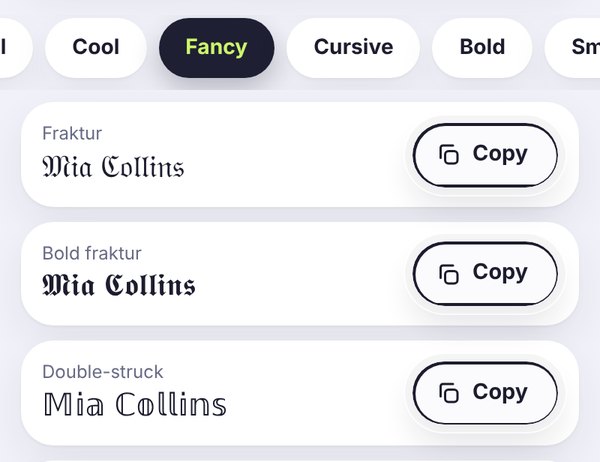
This page shows every style under All, but the tabs help if you already know the look you want. In this screenshot we opened Fancy, which has Fraktur, Bold fraktur and Double-struck.
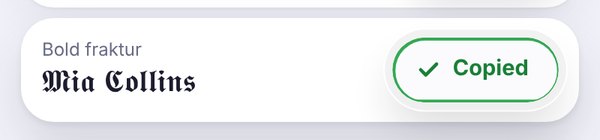
Tap Copy. When the button turns green, open Instagram, go to Edit profile and paste the text into your Name or Bio field. Check how it looks on your profile before you save.
Fonts for your Instagram bio
Your bio is the first thing people read when they land on your profile, and you only get a few lines to make an impression. A different font won't fix a boring bio, but it can make a good one stand out. That's what this page is for. Type a line, see it in dozens of styles at once and copy the one that feels like you.
Instagram doesn't have a font setting, so the trick is special Unicode characters. They look like cursive, bold or gothic letters, but they're really just text, which is why they keep their look after you paste them.
Where you can use these fonts on Instagram
Name field: yes. This is the bold line above your bio, and a styled name here is the most popular choice. Just remember that it can affect search, so keep your real name readable somewhere.
Bio: yes. You have 150 characters, so use a styled font for one line or a few words and leave the rest plain.
Username: no. Your @handle only takes letters, numbers, periods and underscores.
Captions, comments and stories: yes. A styled first line in a caption is a nice way to catch attention in the feed.
Bio ideas you can copy
Here are a few complete bios to get you started. Tap one to copy it, then swap in your own words.
How to make a bio that actually looks good
The bios that look best usually follow a simple pattern. Put a styled name or headline on the first line, then one or two lines in normal text that say what you do or what people will find on your page. Finish with a call to action if you have a link, for example "new video every Sunday ➜".
Try not to mix more than two styles. Cursive plus small caps can look lovely. Cursive plus gothic plus bubble letters usually looks messy. A symbol or two, like ✨ or ➜, is plenty. If you want more ideas, our guide on how to change the font on your Instagram bio goes step by step.
Picking a style for your kind of account
Creators and personal accounts tend to suit cursive or script, which feels warm and personal. Try the cursive font generator for more script options.
Shops and small businesses do better with bold, because it reads well even on a small screen. The Instagram bold text generator has every bold style in one place.
Photographers, designers and minimal profiles often prefer small caps or italic, which look tidy without shouting.
Gamers and streamers like gothic letters for a bold, dramatic name. Have a look at our tips on gaming usernames too.
Frequently asked questions
Which font is best for an Instagram bio?
There isn't one right answer, but here's what tends to work. For a personal account, a cursive or script name looks warm and friendly. For a shop or a brand, bold is easier to read and feels more confident. If you like a clean, minimal look, small caps are hard to beat. Whatever you choose, keep the rest of your bio in normal text.
Can I use fancy fonts in my Instagram username?
No, and it's a common surprise. Your username (the @handle) only accepts letters, numbers, periods and underscores. The Name field and your bio are a different story: both accept fancy fonts, so that's where your styled text should go.
Will fancy fonts stop people from finding me?
They can. When someone searches on Instagram, styled letters don't always match normal letters, so a fully styled name may be harder to find. A simple fix is to keep your real name in plain text somewhere, for example in your username or in the first line of your bio.
Do fancy letters use more of my 150 characters?
Each styled letter normally counts as one character, just like a normal letter, but a few special symbols can take up more space. If you are close to the limit, keep an eye on the counter in the Edit profile screen while you paste.
Why do some fonts show up as empty boxes?
That just means the phone looking at your profile doesn't have that style. It happens most with rare symbols and some fancy styles. Bold, italic and small caps work on almost every phone, so they're the safest picks for your bio. Our guide to empty boxes explains it in more detail.
Are these Instagram bio fonts free?
Yes, completely. There's no sign-up, no watermark and nothing to download. Everything happens in your browser, so the text you type stays on your device.