Fancy Text for WhatsApp: Bold, Italic and Cool Fonts
Updated October 2026
WhatsApp already has a few formatting tricks built in, and you can go a lot further with copy and paste fonts. Here's how both work and when to use each one.
Method 1: WhatsApp's built-in formatting
Most people don't realize WhatsApp has formatting hiding in plain sight. You just wrap your words in a symbol:
- Bold: put an asterisk on each side, like *hello*
- Italic: use underscores, like _hello_
- Strikethrough: use a tilde, like ~hello~
- Monospace: use three backticks, like ```hello```
Newer versions of WhatsApp also support bulleted lists (start a line with - or *), numbered lists (1. ) and quotes (start a line with > ). On most phones you can also select a word and pick bold or italic from the menu that pops up, which is handy if you forget the symbols.
This is the best option for normal chats. It's quick, and everyone sees exactly the same thing.
Method 2: copy and paste fancy fonts
The built-in options stop at bold, italic and strikethrough. If you want 𝓬𝓾𝓻𝓼𝓲𝓿𝓮, 𝖌𝖔𝖙𝖍𝖎𝖈, bubble letters or small caps, you'll need special Unicode text. The bonus is that it also works in places where the built-in formatting doesn't, like your profile name.
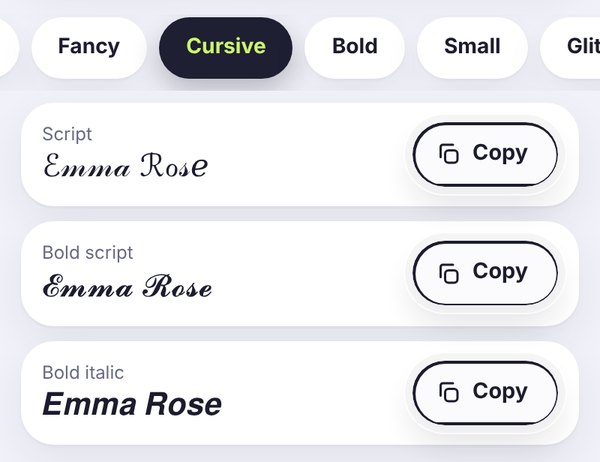
- Open the FilesSnap font generator and type your text.
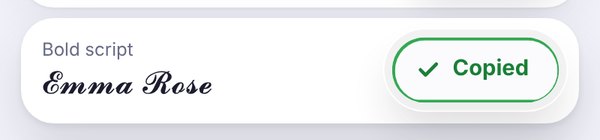
- Pick a style and tap Copy.
- Open WhatsApp and paste it into a chat, your status, your About line or your profile name.
What it really looks like on WhatsApp
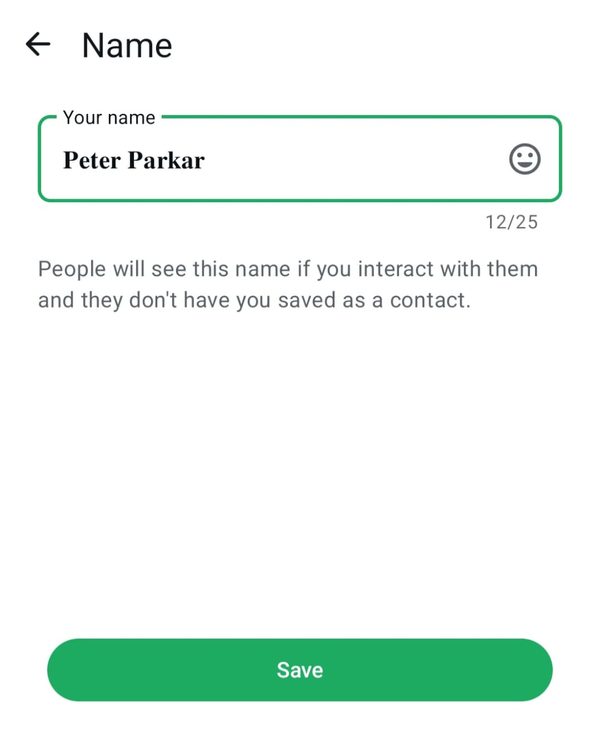
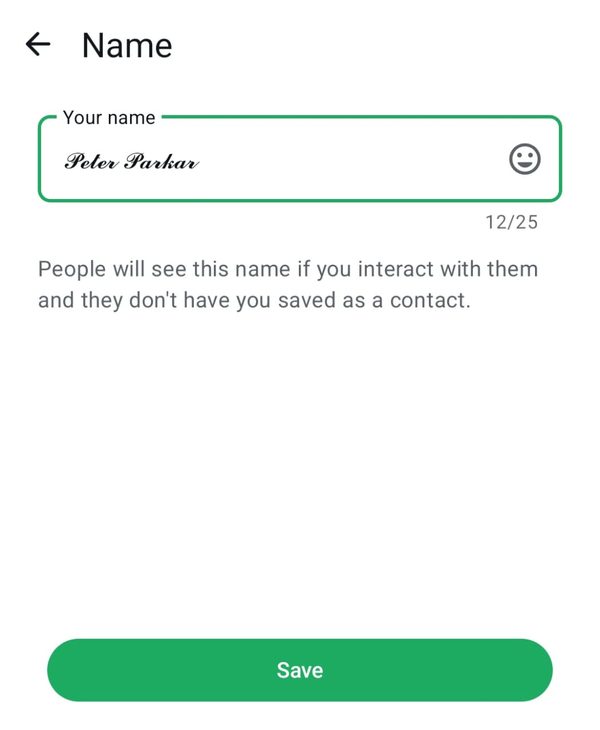
These are real screenshots of styled names pasted into the WhatsApp Name screen. Notice the counter in the corner: the styled letters use the same space as normal ones.
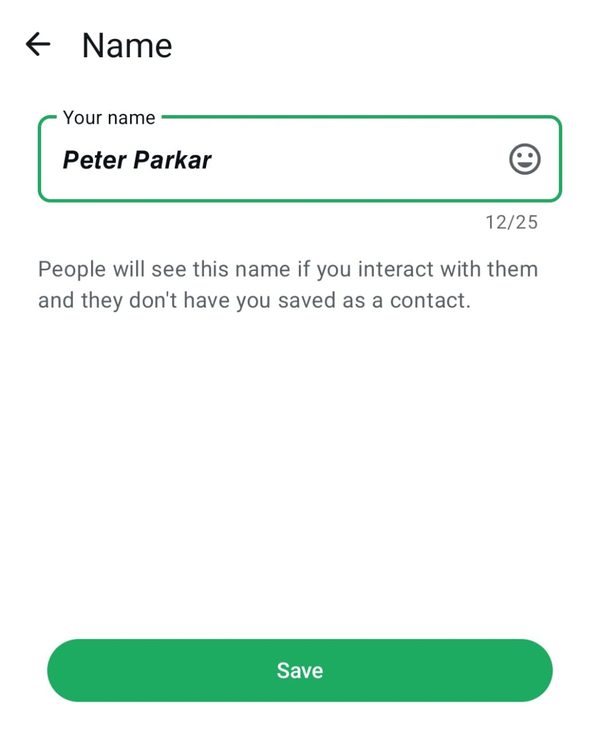
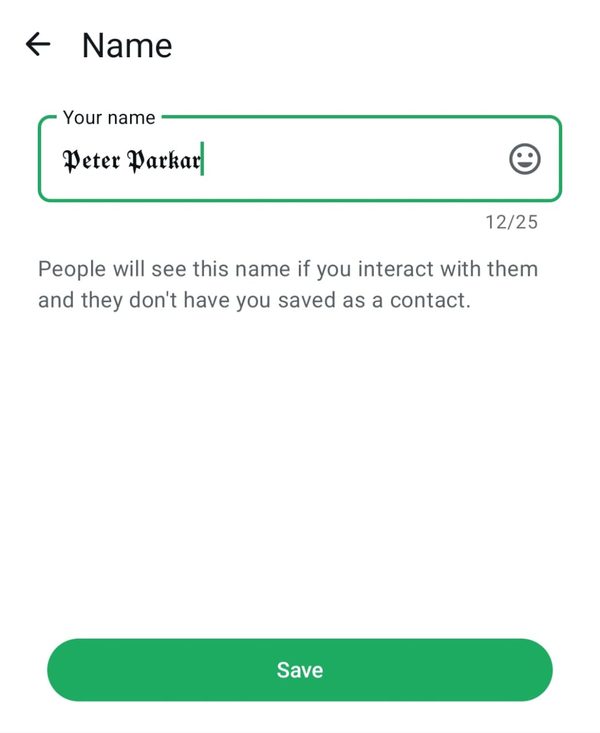
Want the full story on any of these? We have separate guides for a bold name, bold italic name, cursive name and gothic name.
Where fancy text works on WhatsApp
Chats and groups: yes, both methods work.
Profile name: only pasted fonts work here, because the built-in symbols don't format names. The name field allows 25 characters, as you can see in the screenshots.
About and status: pasted fonts work well. Each field has its own length limit, so write your text first and style it afterwards.
Group names and descriptions: yes, but keep group names readable so people can find the group.
So which one should you use?
Use built-in formatting when you're chatting, highlighting a word, or writing anything long. Use pasted fonts for short, special things: your name, a birthday wish, a festival greeting, or an About line you want to look nice.
A few good habits
- Don't style phone numbers, addresses or links. Styled numbers often aren't clickable or easy to copy.
- Keep styled text short. A long paragraph in cursive is hard work to read.
- If a friend says they see boxes, resend it in bold. Our guide on empty boxes explains what's going on.
Frequently asked questions
How do I write in bold on WhatsApp?
Put an asterisk on each side of the word, like *hello*, and send it. WhatsApp shows it in bold. For your profile name, where that trick doesn't work, paste bold text from the bold text generator instead.
How do I write in italic or strikethrough on WhatsApp?
Use underscores for italic, like _hello_, and a tilde for strikethrough, like ~hello~. You can also select a word and choose the style from the menu that pops up.
Can I change the font of my WhatsApp name?
Not with a setting, but you can paste a styled name made of Unicode characters. That's how all the names in the screenshots above were made.
Why does my friend see boxes instead of my fancy text?
Their phone doesn't have that style. Bold and italic styles work almost everywhere, so resend it in one of those.
Is it safe to use fancy fonts on WhatsApp?
Yes. It's just text, like emoji. Nothing is installed and nothing about your account changes.
Do I need an app for WhatsApp fonts?
No. You can copy styled text from a website like FilesSnap and paste it straight into WhatsApp.